A church social media strategy that survives the volunteer
What the account is for, a three post week, who owns the login, the consent rule for a child's photo, what to do when a member dies, and scheduler prices checked 29 July 2026.
Updated Jul 29, 2026
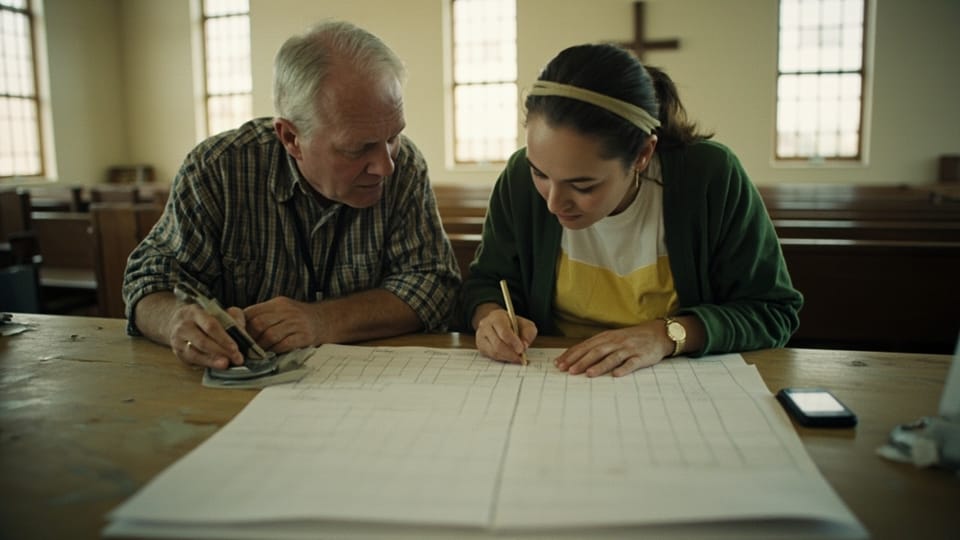
Your church page has a cover photo from a building campaign that finished, followers who already attend, and a login that belongs to someone’s daughter in another state. Posting happens when a volunteer remembers. Nobody can say what the account is supposed to accomplish, so nobody can say whether it is working, and the person holding the password feels guilty every Thursday.
That is a strategy problem, not a content problem. Content ideas are cheap, and four post patterns are already written out. What is missing is a decision about who the account is talking to, a rhythm that survives February, and written rules for the four situations that damage churches online.
What the account is for
One job: a stranger inside driving distance decides whether to walk in on Sunday. The account’s work ends at the door, and what happens after that belongs to a guest follow-up system rather than to a feed.
Members do not need the feed. They have the bulletin, the newsletter, the group text, and the person sitting next to them. A church that writes its feed for members produces posts a stranger cannot parse, like “Reminder, Ladies’ Fellowship moves to the Fireside Room this week!” That post carries no church name, no address, no time, and no clue what the Fireside Room is. It is a hallway sign published to the internet.
A stranger who lands on your profile is answering three questions in about fifteen seconds. Is this church real and currently meeting. What happens at the service and how long does it run. Where is it, when, and what do I do with my kids.
So the account owes four things before it owes anything else.
The bio. Church name, tradition in plain words, service time, city, one link. “Grace Reformed Baptist Church. Expository preaching, Lord’s Supper monthly. Sundays 10:30am. Northside, Little Rock. Directions and service details below.” No mission statement. No Scripture reference where the address should be.
The pinned post. One post at the top of the profile that answers all three questions at once: the time, the street address, what a first visit looks like, what happens with children, and how long the service runs. Rewrite it every six months. This is the single most valuable post on the account and most churches do not have one.
The link. It points at a page you control that lists service times and an address, not at a Facebook event or a link aggregator that dies when a subscription lapses. If you have no website, Planning Center’s pricing page lists Church Center, its member app and web platform, as free, checked 29 July 2026, and that gives you a page with times on it. The paid tiers on Planning Center Publishing are $15 a month for custom pages and themes and $32 a month for audio and video channels plus sermon notes. If you would rather own the page outright, the cheap routes are compared in small church website options.
One number, monthly. Clicks from the profile to the service times page. Follower count answers nothing. The monthly five minute review is laid out in the workflow post, and it is the only reporting an elder needs. If the elders want the number set beside real attendance, measuring church attendance honestly explains why a click and a body in a chair are not the same unit.
The three post week
Three posts a week. Not five, not daily, and never seven. A church that posts three times a week for two years beats a church that posts daily for six weeks and then goes silent until Christmas, because the silence is what a stranger reads as “closed.”
Three is also the ceiling for one volunteer with a job. Set it as a ceiling out loud, so nobody feels behind.
| Day | Post | Where it comes from |
|---|---|---|
| Sunday, early afternoon | One photo from that morning, with the passage that was preached | Whoever carried the phone during the service |
| Tuesday or Wednesday | A quotation from the sermon, typed as text, with book, chapter, and verse | The manuscript or the recording |
| Thursday | The Sunday invitation: time, street address, passage, children’s arrangements | A template that changes three fields |
The Thursday invitation is the one that does actual work, and it is the one churches skip because it feels repetitive. It is not repetitive to the person seeing it for the first time. Post it every Thursday for a year. If the wording is the sticking point, there are worked announcement examples you can lift the three fields out of.
Keep a fourth slot open and empty. It holds a cancelled service, a death, a weather closure, or a genuine piece of news. If nothing happens, nothing posts.
Batch the writing. One session on Tuesday morning covers all three, and the eight shot capture list covers what to photograph so the volunteer is not deciding during a service.
Times, and why the published charts will not help you
Every scheduling vendor publishes a best time to post chart. Those charts are aggregates across every account on the platform in every industry, and none of them were computed on churches in your county. Treat them as decoration.
Pick times, hold them for eight weeks, then read your own audience data and adjust once. Until you have your own data, these are defensible defaults: weekdays at 11am and 4pm local, which are phone break hours rather than driving hours, and Sunday between 12:30 and 2pm, right after people get home.
One timing rule is not arbitrary. The Sunday invitation goes out Thursday. A family deciding where to go on Sunday is usually making that decision before the weekend starts, and a post that lands at ten o’clock Saturday night reaches people who have already decided.
Who owns the account
This is where most churches have a real problem and do not know it yet.
The failure looks like this. A volunteer created the page under her personal profile in 2016. She is now the only administrator. She moves, or she has a falling out with the church, or she dies, and the church loses the page permanently along with nine years of photographs and every follower.
Six rules, and they take one afternoon to put in place.
- The page is administered by at least two people, and one of them is a pastor, an elder, or paid staff. The second person does not have to post. They have to be able to get in.
- Every account uses a church-owned email address. Something like
communications@yourchurch.org, forwarded to whoever is serving. Never a personal Gmail with a volunteer’s name in it. - Credentials live in a shared password manager the church pays for, and the recovery phone number is the church office line, not a volunteer’s cell.
- Two-factor codes go somewhere two people can reach. A code sent to one person’s phone is the same single point of failure as one password.
- Write the inventory down. One page listing every account the church owns, who administers each one, and where the credentials live. Facebook page, Instagram, YouTube channel, the domain registrar, the website host, the email provider, the giving platform. The registrar is the one that hurts most when it goes missing, and it is the one nobody thinks of.
- Review that page every January, at the same meeting where somebody already reviews the insurance.
When the volunteer leaves
Assume every communications volunteer eventually stops, because every one of them does. Plan the exit in month one.
Recruit the replacement six months before you need them and let them shadow for four weeks, drafting while the current volunteer approves. On the week someone steps down, do all four of these: remove their administrator access, rotate every password, move their photo files into the church’s shared drive, and confirm the church email forward now points at the new person. Do it the same week, warmly, as routine rather than as suspicion. Tell the outgoing volunteer it is policy and that it happens to everyone, because that is true and it removes the sting.
If the account is already lost, do not start a second page yet. Two pages for one church split the search results and half your visitors land on the dead one. Work the platform’s recovery process first. If recovery fails, publish the new page, say plainly on it that the old page is no longer maintained, and ask members to report it.
The consent rule for a child’s photo
Most churches think a signed media release at VBS registration covers them. It does not, and this is the rule that ends friendships when it goes wrong.
Four things a blanket release does not solve.
A release signed in June is not permission for a post in November. Permission has a date and a context. The parent who agreed to VBS photos on the church website did not agree to their eight year old appearing on Instagram five months later.
Face, name, and schedule together are a location record for a child. Any one of the three is fine on its own. A photograph of a smiling child, captioned with her first name, on an account that publishes the same street address and the same Wednesday time every week, tells a stranger where that specific child will be next Wednesday. This is the combination to break, and breaking it costs nothing: publish the face without the name, or the name without the face.
Custody and safety situations exist that the volunteer cannot see. Some children are photographed against a parenting order or a safety plan. The person holding the phone has no way to know which ones, and asking would be its own violation. The default has to be no.
The child cannot consent, and cannot legally be on the platform. Facebook’s own help center states, checked 29 July 2026: “The minimum age to use Facebook varies by region. Most countries and states require you to be at least 13 years old to use Facebook.” The same page lists higher minimums, 14 in South Korea, Quebec, Spain, and Florida, and 16 in Australia. The nine year old in your photograph cannot hold an account where you are publishing her face. Her parents’ written answer is the only consent that exists.
The rule, written for a volunteer
No child’s face and name in the same post. Photograph children from behind, at a distance, from the side, or shoot hands and the activity instead. If you want a face, ask a named parent that day and write down that they said yes.
The three questions
Put these on the membership form, the guest card, and every children’s ministry registration, answered yes or no, with a date and a signature.
- May we photograph you and your children at church gatherings?
- May we publish those photographs, without names, on the church website and the church’s social accounts?
- May we publish a first name alongside a photograph?
Keep the answers in one spreadsheet the office owns, held to the same standard as every other member record, which is worked out in protecting member data. Re-ask every year at membership renewal or registration. A no stands until the family changes it in writing, and it applies to the whole household.
When a parent asks for a photo to come down
Take it down the same day, do not ask why, and reply with something close to these words: “It is down. Thank you for telling us. I have marked your family as no photos in our list and told both people who post.” Then actually mark it. The apology is not the point. The record is the point, because the second time it happens the family stops believing you.
Two more, while you are writing policy. Never publish the street address of a small group that meets in a home; the neighborhood is enough. Never publish a photo showing a child’s school uniform, bus stop, or house number.
One more place this rule applies and nobody applies it. A live stream publishes faces in real time, with no chance to review a frame before it goes out, on a schedule a stranger can read off your website. Point the camera at the platform and keep it there, and decide the framing before Sunday rather than during it. The camera and shot decisions are covered in why your church stream sounds bad.
When a member dies
Write this procedure before you need it, because you will need it on a day when nobody is thinking clearly.
Nothing posts until the family says yes. The people who deserve a phone call have to get the phone call first, and that usually takes 24 to 48 hours. A church that publishes a death notice before an out of state son has been reached has done something it cannot take back.
The pastor authorizes it, not the volunteer. Put a name on that line in the written procedure now.
Before anything else, pause the queue. This is the step churches miss. A cheerful scheduled post about the men’s breakfast landing three hours after a death notice is the failure people remember for years. Every tool listed below can pause a queue. Find that button today, while nothing is wrong.
The post itself is short and plain. Full name, the date, the person’s relationship to the church, service details only if the family has released them, one passage, and no photograph unless the family supplied it. No graphic template, no script font over a sunset. A designed grief card reads as content.
[Full name] died on [date]. She had been a member of [Church] since [year] and taught in the children’s ministry for many of those years. The funeral will be here at the church on [date] at [time], and all are welcome. We grieve, and we do not grieve as those who have no hope (1 Thessalonians 4:13). Please pray for [family names, as the family approved them].
Leave comments open and read them. Somebody checks the thread every few hours for three days. People will post memories, which is the point. One person will post a rumor about the cause of death or a grievance about the estate. Hide it, then call that person directly.
Do not post anything else for at least 24 hours. Then resume the ordinary rhythm without a transition sentence. Nobody needs a post explaining that the church is returning to normal posting.
Anniversary posts happen only if the family asks. Never on your own initiative, and never on a schedule.
When the comments turn
Sort every hostile comment into one of three boxes before you type anything.
A correction. You published the wrong time, spelled a name wrong, or cited the wrong chapter. Reply publicly, thank them by name, fix the original post, and leave their comment up. Visible correction is worth more than a clean thread.
A complaint from a member. The music is too loud, the sermon runs long, why did the church spend money on the parking lot. Reply once, publicly, briefly, and move it off the platform: “That is a fair question and it deserves better than a comment box. Call the office at [phone] and ask for [name], or find me Sunday. I would rather hear it in person.” Never answer the substance in the thread. Answering it invites nine more people to litigate the parking lot in public.
An attack, or a doctrinal fight. Do not engage. Nobody has ever been argued into orthodoxy in a comment section, and the volunteer running the account is not the person who should try. Hide it rather than delete it. A person who notices a deletion posts the screenshot with a story attached; a hidden comment usually sits there.
Post a comment policy and pin it. Four sentences is enough:
We read every comment. We remove comments that name a private individual, advertise a business, or attack a person rather than an idea. We do not debate theology here; write to [email] and a pastor will answer you. Anything involving a threat or a child’s safety goes to the authorities, not to this page.
Two standing rules for whoever replies. Nothing gets posted the same hour it made someone angry; draft it, send it to the approver, publish it tomorrow. And never quietly delete a comment alleging that the church mishandled abuse. Route it to the elders and to the appropriate authority the same day, and get counsel. Deleting that comment is the story.
What to stop doing
Stop running a daily verse image mill. This is the most common church posting habit and the least useful one. A stock graphic you did not make, with no translation named, no citation, and no connection to what was preached, is content the way elevator music is music. If you want to post Scripture daily, post the passage your church is actually working through, name the translation, and type the words as text rather than baking them into an image. Text is searchable, quotable, and readable by a screen reader. If you do post a graphic, put the full verse in the alt text, every time.
Stop running engagement bait, and never run it on prayer. “Type Amen if you love Jesus.” “Share this in the next 60 seconds.” A church that asks people to type Amen to be counted has turned intercession into a metric, and every person who scrolls past feels accused. It also costs you reach on the platform you are trying to game. Meta’s own ranking transparency page lists, among the signals that set distribution, “How likely you are to hide, snooze or unsubscribe on the post (used to reduce the distribution of a post),” checked 29 July 2026. Bait is the most hideable post a church publishes. Ask for prayer for a specific named need with the person’s permission, and ask nothing else.
Stop boosting posts. Paying to put an announcement in front of people who did not ask for it produces a reach number and almost nothing else. If a church has money for advertising, put it on the service times page in local search, and decide that with an elder.
Stop posting countdown graphics. Six days until Vision Sunday means nothing to a person who does not know what Vision Sunday is, which is everyone the account exists to reach.
Stop reposting other churches’ reels and conference clips. You are training your audience to follow somebody else.
Stop saying anything about a candidate from the church’s account. Whatever the pulpit does with a moral issue is the pulpit’s business. The account is a different matter, and the IRS has written the rule in one sentence. Its own guidance for 501(c)(3) organizations states, checked 29 July 2026, that “all section 501(c)(3) organizations are absolutely prohibited from directly or indirectly participating in, or intervening in, any political campaign on behalf of (or in opposition to) any candidate for elective public office,” and that “violating this prohibition may result in denial or revocation of tax-exempt status and the imposition of certain excise taxes.” That is not a judgment call a volunteer with the login should be making at nine o’clock at night. Route anything close to it to the elders and the church’s attorney.
Stop reporting follower counts to the elders. Report clicks to the service times page, direct messages that needed a human reply, and whether the three posts went out. Those three numbers describe the account. Follower count describes 2013.
Tools, and what they cost
A church account has no requirement a general purpose scheduler cannot meet. Two questions decide the purchase: how many networks you actually post to, and whether a second person must approve a draft before it publishes. If the answers are two networks and no, you should be paying nothing.
Every figure below was read off the vendor’s own published page on 29 July 2026. Our method, including how prices are verified and why anything we build is never ranked first, is on how we review.
| Tool | Published price, checked 29 July 2026 | Fits | Skip it if |
|---|---|---|---|
| Meta Business Suite | The product page publishes no price and describes creating or scheduling posts, stories, and ads for Facebook and Instagram. Advertising is the paid part. | A church posting to Facebook and Instagram and nowhere else | You post to a third network, because you will end up managing two queues |
| Buffer | Free plan connects up to 3 channels with 10 scheduled posts per channel, refillable. Essentials is $5 per month per channel, $60 per channel billed yearly. Team is $10 per channel, $120 yearly, with unlimited team members. | One volunteer running three or four accounts across different networks | One person posts to one page. The native tool is already open |
| Metricool | Free plan covers 1 brand, 20 posts a month, 5 competitor profiles, 30 days of analytics. Starter is $20 a month for 5 brands or $36 for 10. Advanced is $53 to start, $67 for 15 brands. Prices are shown in euros and dollars side by side. | A church that wants scheduling and reporting in one free account | You need more than 20 posts a month on the free tier, which at three a week you will not |
| Later | No free plan, 14 day trial. Starter renders at $18.75 a month for 1 social set of 8 profiles at 30 posts per profile per month. Growth is $37.50 for 2 sets. Scale is $82.50 for 6 sets with unlimited posts. Extra social sets are $11.25 a month. | A church whose feed is genuinely photo-led and Instagram-first | Budget matters, because Buffer’s free tier does the scheduling part |
| Loomly | Starter is $65 a month, or $49 billed yearly, for 3 users and 12 social accounts. Beyond is $332, or $249 yearly, for unlimited users and 60 accounts. Enterprise is quoted at 61 accounts and up. | A staffed communications office where drafts route through an approver | Two people can approve a draft by talking to each other |
| Hootsuite | The plans table rendered no dollar figures when we read it. The FAQ on the same page states: “Paid plans start at $99 for a Standard plan, $199 for a Professional plan, and range up to $399 for an Advanced plan.” Standard lists 10 social accounts. | Organizations with a social media budget line and a person whose job this is | You are a church. Nothing here is priced for you |
| Sprout Social | Essentials is $79 per seat per month billed annually, $99 billed monthly, with 5 social profiles. Standard is $199 per seat, Professional $299 with unlimited profiles, Advanced $399. Enterprise is quoted. | Marketing departments running paid campaigns and social listening | Always, for a local congregation. This is a category error rather than a budget question |
| Church Posting poster | Not open yet. The planned free tier covers up to three accounts when it launches. No date is promised. | Nobody today | You need to schedule a post this week. Use Meta Business Suite or Buffer |
Three notes on the table. Buffer’s free tier and Meta Business Suite together cover what almost every church under 400 people needs, at no cost, which means the honest recommendation for most readers is to spend nothing. The line where paying becomes reasonable is three or more networks combined with two people who must approve drafts, and that is usually a church with paid communications staff. And read the per-channel and per-seat units carefully, because they are where the invoice grows: Buffer bills per channel, so four accounts on Essentials is $20 a month rather than $5, and Sprout bills per seat, so two staff on Essentials is $158 a month billed annually before anybody posts anything.
Canva sits in this workflow for most churches and we could not verify it. Canva’s pricing page returned no prices to an automated request on 29 July 2026, because the plan table renders only inside a browser. No figure is printed here. Check it against your own account before assuming the free plan covers what your volunteer is doing.
The first two weeks
Do these in order. Nothing here takes more than an hour.
Day one. Rewrite the bio to the specification above and write the pinned post. Publish both.
Day two. Build the account inventory: every account, every administrator, where the credentials live. Give a copy to an elder.
Day three. Add the three consent questions to the membership form and every children’s ministry registration. Start the spreadsheet.
Day four. Write the comment policy in four sentences and pin it.
Day five. Write the death procedure. Three paragraphs, with the pastor’s name on the authorization line and the location of the pause button written down.
Week two. Schedule three posts at the times you chose, put the Thursday invitation on repeat, and stop. Do not add a fourth day because week one felt easy.
Review the ownership page and the consent list with an elder every January, on the afternoon somebody is already reviewing the insurance. Keep the content calendar in the same folder, and when the volunteer changes, hand over all three documents on the same day. If the church also texts, the consent record for that list follows the same discipline and is worked out in church texting services.
Sources
Every price, quotation, and rule above was read off these pages on 29 July 2026.
- Buffer pricing, checked 29 July 2026
- Metricool pricing, checked 29 July 2026
- Later pricing, checked 29 July 2026
- Loomly pricing, checked 29 July 2026
- Hootsuite plans, checked 29 July 2026
- Sprout Social pricing, checked 29 July 2026
- Meta Business Suite product page, checked 29 July 2026
- Meta ranking and content transparency, checked 29 July 2026
- Facebook minimum age requirements, checked 29 July 2026
- Planning Center pricing and Planning Center Publishing, checked 29 July 2026
- IRS, restriction of political campaign intervention by section 501(c)(3) organizations, checked 29 July 2026
Canva’s pricing page returned no prices to an automated request on 29 July 2026, so no Canva figure appears above. Later’s page renders the annually billed rate as its headline price, so the monthly figures in the table are the discounted ones and the undiscounted monthly rate is higher.