Why your church live stream sounds bad, what camera to buy, and the CCLI license
The audio fix first, then camera specs and prices checked 29 July 2026 for capture, switchers and PTZ, the upload number that sets your ceiling, and whether the CCLI Streaming License is required.
Updated Jul 29, 2026
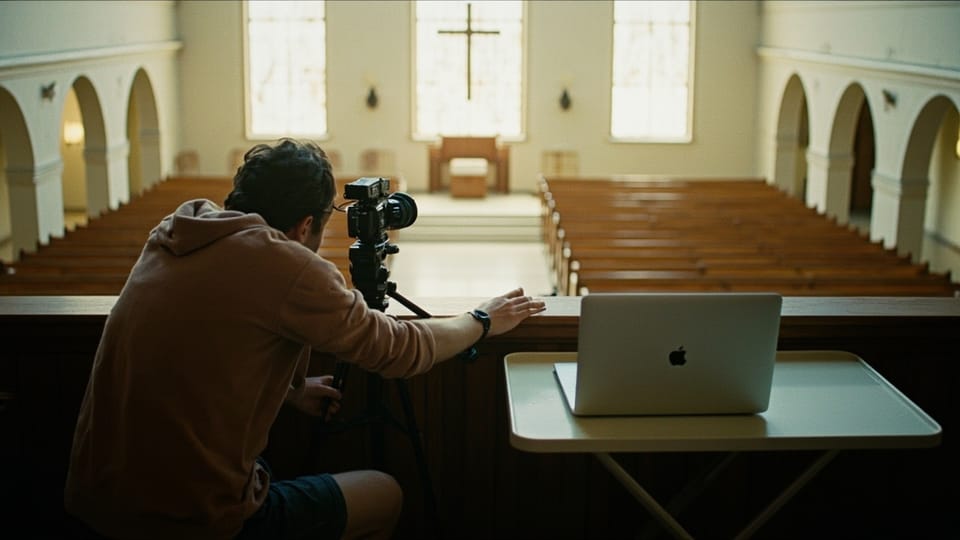
Fourteen people opened the stream and eleven were gone inside four minutes. The picture was fine. The sound was a phone microphone at the back of a room with a hard ceiling, so the sermon arrived as a voice at the bottom of a well and the singing arrived as weather. The church had spent $1,100 on a camera and nothing on getting audio out of the sound desk six feet away.
Three questions bring nearly every church to this page. Why does the stream sound bad. What camera should we buy. Do we need a CCLI Streaming License. The order matters, because the first question has an answer that costs nothing and the second question is the one churches answer first.
The short answers
Why the stream sounds bad. A microphone on the camera is hearing the room, and a room is mostly reflection. Take a separate mix from the sound desk instead, add the congregation microphones the room mix never had, and match the levels so the desk’s line output does not overload the camera’s microphone input.
What camera. For a church with a trained operator, buy on four specifications rather than a model name: clean HDMI out, no recording time limit on that output, mains power, and full manual exposure, white balance and focus. For a church with nobody to operate it, buy a pan-tilt-zoom camera on presets. The PTZOptics Move SE is $1,319 for the 12x, checked 29 July 2026, and it removes the person from the job.
Do you need a CCLI Streaming License. Yes, if you stream congregational singing of copyrighted songs. Your Church Copyright License covers printing and projecting lyrics in the room and does not cover streaming. CCLI publishes a starting price of “$84 per year for churches already licensed with CCLI, or $108 for an average church (100 - 199 people),” checked 29 July 2026.
Every price below was read off the vendor’s own published page on 29 July 2026. Where no current price was readable on a page we could reach, no number appears and the gap is named. Our method for verifying and rechecking prices is on how we review.
Why the stream sounds bad
This is the section that decides whether anyone watches. The rest of this guide is easier and matters less.
A camera microphone always loses
A microphone on the camera hears the PA speakers pointing away from it, the air handling, the chair that scrapes, and the child three rows in front. The preacher is already on a good microphone eighteen inches from his mouth, going through a desk that a person is mixing in real time. Take that signal.
Take an aux or matrix output, never the main mix
The obvious move is to run a cable from the desk’s main left and right outputs. Do not do that. The main mix is built for the room, and the room supplies half the sound for free. The drums are loud acoustically, so they are turned down at the desk. The acoustic guitar is loud on stage, so it is turned down. The congregation is not in the mix at all, because a congregation does not need amplifying to itself. Send that mix to a stream and you get a thin, hollow band, a strong lead vocal, and silence where two hundred people are singing.
Build a separate mix instead. Use an aux send, a mix bus, or a matrix output, depending on what your desk calls it, and mix it for headphones. Put the instruments back in. Put the preacher in. Then add the part the room mix never had.
The congregation is the ingredient everybody forgets
Hang or stand two small-diaphragm cardioid condenser microphones out over the front rows, pointing back at the congregation, and bring them up underneath the stream mix until singing appears. Buy a matched pair, because two microphones from the same production run behave the same and two random ones do not.
That pair costs less than a camera lens and it is the difference between a service and a lecture. The person at home is trying to sing along in a kitchen, and if they hear nobody else singing they stop. Keep those microphones low in the mix, because they pick up the PA and the room too, and mute them during prayer if the front row sits close.
Match the levels or you get distortion and hiss
A sound desk puts out line level on a balanced XLR or TRS jack. A phone or a camera wants microphone level or consumer level, which is roughly twenty to thirty decibels quieter. Plug one straight into the other and you get an overloaded, crunchy signal that no amount of turning the gain down at the destination will fix, because the damage happened at the input stage.
Two fixes, cheapest first. A passive transformer-isolated direct box run backwards, or an attenuator pad, drops line level to microphone level for a camera or a phone input. Prices for those parts spread widely by brand, and no manufacturer page we could read on 29 July 2026 printed a current US figure, so shop it on the day. Or a USB audio interface with real line inputs skips the problem and hands clean stereo to a computer: the Focusrite Scarlett 2i2, fourth generation, is $224.99 with two microphone preamps, two instrument inputs and two line inputs, checked 29 July 2026.
Your desk may already be the interface. Most current digital desks present themselves to a computer as a USB audio device, sending anything from two channels to thirty-two down one cable. Search your desk’s manual for “USB audio” before you spend $224.99 on something you already own.
The hum
A steady low buzz under everything is a ground loop: the desk and the streaming computer sit on different electrical circuits and current finds a path down the audio cable’s shield. Turning the gain down only makes everything quieter with a buzz in it. Fix it with a transformer-isolated direct box or an isolation transformer in the audio line. Do not fix it by lifting the ground pin on a power plug with an adapter. That works, and it is how people get killed by equipment racks.
Compress and limit the stream feed
A room can take a service that runs from a whisper to full band. A phone speaker in a kitchen cannot. Put a compressor and a hard limiter on the stream mix so the loud song does not clip the encoder and the pastoral prayer stays audible at the same volume setting. If you buy a switcher, the ATEM Mini Pro has a built-in audio mixer with 6-band parametric EQ, compressor, limiter, expander, noise gate and panning, checked 29 July 2026, so no outboard gear is needed.
Two habits that cost nothing
Fix the lip sync. Video going through a capture device arrives later than audio going through a cable, so mouths move before words. Every encoder has an audio sync offset in milliseconds. Set it once by watching somebody clap in front of the camera, and write the number on the card in the media cabinet.
Then, every week, somebody listens to the actual stream on headphones, on a phone, on cellular data, from another room. Not the desk output. The stream. Half the audio problems here are found in ninety seconds by one person doing that.
What camera
The model names in this category turn over every eighteen months and the specification list has not moved in ten years, so buy the specification.
Clean HDMI out. The picture with no menus, no focus box, and no record indicator burned into it. A camera that cannot do this is unusable for streaming at any price.
No recording time limit on that output. Older bodies cut the signal at 29 minutes 59 seconds. A sermon is longer than that.
Mains power. Through a dummy battery or USB-C. A real battery dies during the sermon, and it dies at the point in the service where the room is quietest.
Full manual exposure, white balance and focus, all locked before the service. Every automatic system on a camera hunts when the stage lights change, and on a stream that hunting reads as equipment failure.
We are not printing a price for a mirrorless body. No manufacturer page we could reach on 29 July 2026 carried a current US price for the bodies churches actually shortlist. Shop the four specifications above and check the number yourself on the day you buy.
What to avoid, with a price on it. The Elgato Facecam MK.2 is $139.99 and it is a good camera with a fixed focus range of 30 to 120 centimeters and an 84 degree field of view, checked 29 July 2026. That is a desk camera for an office devotional at arm’s length. Point it at a platform forty feet away and you get a small soft blur in the middle of a wide shot of the back wall. Every church that buys a webcam for a sanctuary buys this failure.
The camera for a church with no operator. A pan-tilt-zoom camera on presets removes the person from the job, and that is worth more than image quality. The PTZOptics Move SE is $1,319 for 12x zoom, $1,489 for 20x and $1,649 for 30x, checked 29 July 2026. It outputs HDMI, 3G-SDI, USB 3.0 Type-C and native NDI HX2, takes power over ethernet on 802.3af so one cable does both jobs, and includes Presenter-Lock auto-tracking rated to 60 feet on the 12x, 100 feet on the 20x and 120 feet on the 30x. The Move 4K line starts at $1,979.
A PTZ camera at $1,319 costs more than a mirrorless body plus a capture device. It is also cheaper than the year in which nobody could operate the mirrorless body.
How the camera gets into the computer. The Elgato Cam Link 4K is $99.99, takes HDMI in, presents the camera to the computer as a webcam, and handles 1080p60 without complaint, checked 29 July 2026. Past about twenty-five feet, HDMI is unreliable in the particular way that produces a black screen twice a service and works perfectly every Tuesday. Move to SDI and use the Blackmagic UltraStudio Express Recorder 3G at $179, which takes both 3G-SDI and HDMI up to 1080p60, checked 29 July 2026.
Settle one more thing while you are choosing the camera: whose faces go out. A stream publishes children’s faces live, with no chance to review a frame, on a schedule a stranger can read off your website. Frame the shot at the platform, keep it there, and write the consent rule down before Sunday. The rule itself is in a church social media strategy that survives the volunteer.
Do you need a CCLI Streaming License
Your CCLI Church Copyright License covers printing and projecting song lyrics for your congregation. It does not cover streaming. Those are separate permissions, and churches find this out when a platform mutes the music in the middle of the second song.
The CCLI Streaming License covers “450,000 worship songs and hymns performed live during online worship” and lets a church live-stream or upload that worship to “your church website, your social media pages, or other streaming platforms.” CCLI states that pricing starts “from just $84 per year for churches already licensed with CCLI, or $108 for an average church (100 - 199 people),” checked 29 July 2026. It sits on top of a Church Copyright License rather than replacing it: CCLI’s own wording is that “our streaming licenses extend the song reproduction rights provided by the Church Copyright License.”
Streaming Plus is the higher tier, and CCLI draws the line plainly. Coverage “can be extended to include artist tracks, backing tracks, and multitracks from any authorized source with Streaming Plus.” If your worship team sings over purchased accompaniment, read that distinction before you assume the base license covers you.
One more distinction catches people. CCLI licenses the song, meaning the composition. It does not license somebody else’s sound recording. Playing a commercial recording over the PA before the service, or under a slideshow, is a separate permission from a separate rights holder, and it is the most common reason a church stream gets a copyright claim while holding a valid CCLI license.
Turn on song reporting. CCLI lists auto-reporting through ProPresenter, ChurchTools, Song Show Plus, Proclaim, SongBeamer, MediaShout, EasyWorship, WorshipTools and Loop Community. Reporting what you sang is part of the license obligation and the part churches quietly skip. If your presentation software is on that list, switch it on and stop thinking about it. Which package to run is worked out in presentation and lyrics software, and the current options sit side by side in the Sunday directory.
Put the license in the budget before any hardware. It is the one item on this page that is an obligation rather than a preference.
The three costed builds
| Build | What it is | Rough spend | Right when |
|---|---|---|---|
| A. Phone and tripod | One phone locked on a tripod, sound fed in from the desk by cable | Under $250 if you own the phone | You have no operator, no budget, and no stream at all today |
| B. One camera and a computer | A camera with clean HDMI into a capture device, OBS Studio on a laptop, a two-channel audio interface | $700 to $1,600 | You have one trained volunteer and a fixed camera position |
| C. Switcher and multiple cameras | Two or three cameras into a hardware switcher that streams on its own | $2,500 to $6,500 | Somebody is paid to run Sunday, or the cameras run themselves on presets |
Read down the “Right when” column before the money column. Most churches that fail at this bought Build C and staffed it like Build A.
Build A: a phone and a tripod
You own the camera already. What you need is a tripod that will not fall over, a phone clamp, a power cable long enough to reach the phone, and a cable from the sound desk.
Lock the phone in landscape, set it to airplane mode with wifi on so calls do not interrupt the broadcast, disable auto-lock, and plug it into power. A phone streaming at 1080p for seventy minutes drains a battery and gets hot.
For audio, run a cable from an aux output on the desk into the phone through the phone maker’s own USB-C headset adapter, with a pad in line to drop the level. It will be mono unless you build the cable for stereo, and mono is fine. Clear mono beats a stereo room recording every time.
No price on the tripod. The manufacturer pages we could reach on 29 July 2026 did not publish US prices for the models churches actually buy. Shop by payload rating rather than brand, buy one rated for at least twice the weight you hang on it, and get a fluid head if anyone will ever pan it.
The two blockers nobody warns you about. YouTube requires at least 50 subscribers to stream from a mobile device, plus a verified channel and “no live streaming restrictions within the last 90 days,” and it states that “starting your first live stream may take up to 24 hours,” checked 29 July 2026. Facebook requires that “your account must be at least 60 days old” and that “your Page or professional mode profile must have at least 100 followers,” checked 29 July 2026.
A brand-new church channel therefore cannot stream from a phone on either platform on the first Sunday. Plan for a computer, or start the channel and the Page four weeks early.
Build B: one camera, one computer
This is where most churches under 250 people should land. The camera and capture decisions are above. Three items complete the build.
The encoder. OBS Studio is free and open source software for video recording and live streaming, running on Windows 10 and 11, macOS 12 or newer, and Linux, checked 29 July 2026. Build one scene collection, lock it, and do not let anyone add scenes on a Sunday.
The audio. Scarlett 2i2 at $224.99, or your digital desk over USB, as above.
The volunteer-proofing. The Elgato Stream Deck MK.2 is $149.99 with 15 customizable LCD keys, checked 29 July 2026. It turns the whole service into physical buttons: go live, wide shot, lyrics, end. A volunteer who has to remember where a menu is will get it wrong in front of everybody. A volunteer who presses a labeled button will not.
Build C: a switcher and multiple cameras
The switcher changes the job. Blackmagic’s ATEM Mini Pro is $349 and gives you four HDMI inputs, a built-in hardware streaming engine that works with both RTMP and SRT and goes straight to YouTube over ethernet with no computer in the path, and recording to a USB flash disk, checked 29 July 2026.
| Model | Price | What the money buys |
|---|---|---|
| ATEM Mini Pro | $349 | 4 HDMI in, streams over ethernet, records to USB disk |
| ATEM Mini Pro ISO | $585 | The above plus five recorded streams, so you keep every camera separately |
| ATEM Mini Extreme | $1,249 | 8 HDMI in, 16-way multiview, four chroma keyers |
| ATEM Mini Extreme ISO G2 | $2,245 | The above plus ISO recording, Thunderbolt, 10G ethernet |
For a two or three camera stream the Pro at $349 is the correct purchase and the Extreme is a want. The one real argument for the Pro ISO at $585 is that it records each camera separately, so a service that goes wrong on the switcher can still be rebuilt on Monday from the clean feeds. Feed audio in from the desk and mix it in the ATEM.
For hardware encoding with no ATEM in the chain, the Blackmagic Streaming Encoder HD is $599 and the Streaming Encoder 4K is $785, both taking 12G-SDI in and streaming over SRT or RTMP to services such as YouTube with no computer, checked 29 July 2026.
Three cameras on Move SE bodies plus an ATEM Mini Pro lands near $4,300 before mounts, cabling and a control surface. That is worth it only when somebody sits behind it every week, or when the presets are good enough that nobody has to.
Lighting a platform without a lighting budget
The problem in almost every church stream is contrast, not brightness. There is a window or a bright screen behind the platform, the camera exposes for the brightest thing it can see, and the preacher becomes a silhouette with a voice.
Work in this order. Kill the backlight first: close the blind, move the camera so the window is out of frame, or turn the lyrics screen down. That costs nothing and fixes more than any fixture will.
Then set the camera manually. Lock exposure and lock white balance to one number. Automatic white balance shifts color every time a stage light changes.
Then add front light. House lights are usually warm, dim, and mounted straight overhead, which drops the eye sockets into shadow and ages everyone by fifteen years. You want light arriving from the front and slightly above, from both sides, at roughly 45 degrees.
Two bi-color LED panels through softboxes will do it. Shop by specification: 2,700K to 6,500K, 60 watts or more, CRI 95 or better, and a Bowens mount so you can attach a modifier. No published US price for the fixtures or the softboxes appeared on the manufacturers’ own sites we could read on 29 July 2026, so none is printed here. Two panels and two softboxes is the cheapest part of this guide and the part with the widest price spread, so price it the week you buy.
Set the camera shutter to 1/60 of a second in a 60Hz country, or the projection screen and the LED fixtures will band and flicker on camera. And never point a light at the congregation. People came to worship, not to be lit.
The internet number that actually matters
YouTube publishes recommended bitrates for live streaming: 4 Mbps for 720p at 30fps, 6 Mbps for 720p60, 10 Mbps for 1080p30, and 12 Mbps for 1080p60, with “128-Kbps for stereo” audio, checked 29 July 2026.
Now the rule that keeps a stream up: your sustained upload should be about double the bitrate you are sending, measured during the service, with everything else that uses the connection running.
| Stream | Bitrate | Upload you want | What breaks it |
|---|---|---|---|
| 720p30 | 4 Mbps | 8 Mbps sustained | Almost nothing. Start here |
| 1080p30 | 10 Mbps | 20 Mbps sustained | A congregation of phones on the same wifi |
| 1080p60 | 12 Mbps | 24 Mbps sustained | Cable upload caps, which are usually far lower than download |
Test upload speed, not download. The number in the ad is the download figure and it is irrelevant here. Run the test three times during the Sunday hour, not on a Tuesday afternoon with the building empty.
Run ethernet to the streaming machine. A cable removes the most common cause of a stream that pixelates and freezes. If wifi is the only option, put the streaming machine on a 5GHz network that nothing else uses.
And cap your bitrate under what YouTube recommends if your upload is thin. A clean 720p30 at 4 Mbps looks better to a viewer than a 1080p stream that stutters every ninety seconds.
Where the stream goes
| Destination | Cost | What you get | What you give up |
|---|---|---|---|
| YouTube | Free | Search visibility, an archive that stays up, an embeddable player, no bandwidth bill | Content ID can mute or block a service over music rights |
| Free | Reaches people who already follow the Page | No discovery outside Facebook, no control of the player or the archive | |
| Church Center | Free at Essential, $15/month for custom pages and themes, $32/month for audio and video channels and sermon notes | The stream sits inside the app your members already use for giving and groups | Reaches only people who already installed it |
| Resi | $99/month Social Only, $159/month Starter Lite, $299/month Pro | Resilient transport built for churches, a player you embed and own, one ProPresenter encoder license on every tier | Real money for something YouTube does free |
| BoxCast | $109/month Standard billed annually at 1080p30, $169 Deluxe, $249 Advanced at 1080p60, $449 for 4K | Encoder hardware plus platform plus support | Same |
| Restream | Free for 2 channels, $19/month for 3, $49/month for 5, $239/month for 8 | Sends one stream to YouTube and Facebook at once | Another link in the chain that can fail |
Subsplash publishes no prices for its app and streaming products, states that pricing is “based on church size and usage,” and directs churches to a contact form for a demo, checked 29 July 2026. Know that before you spend a week waiting for a quote.
Start on YouTube and embed the player on your own website. YouTube is the only free destination where a person searching for a church in your town finds the sermon they were not looking for, and the only one that keeps the archive on terms you can predict. If the church has no page of its own to embed it on, that decision comes first and is worked out in small church website options. Add Facebook through Restream’s free tier once the YouTube stream is stable.
Do not pay $109 a month until you have run a stable stream for three months and can name what the money fixes. The honest reasons to pay are bonded transport on a bad connection and somebody to call at 10:25 on a Sunday morning. Looking professional is not one of them. If a church app is part of the same decision, we worked through that separately in does your church need an app.
One caution about the number the platform gives back to you. A stream view is not a person and it is not attendance. Counting it as either is how a church convinces itself it grew in a year when it shrank, and the honest way to count is set out in measuring church attendance honestly.
When the volunteer running it is away
Every church stream that dies, dies here. The gear does not leave. The person does.
Train two people and alternate them weekly. A primary and a backup is one person plus somebody who last touched the system in February. Alternate weeks and both stay current. The same staffing arithmetic that governs a church’s other communications work applies here, and it is laid out in social media without a media team.
Write the card and laminate it. One page taped inside the media cabinet: power-on order, which cable goes where, the buttons to press in order, what to do when there is no audio, what to do when there is no picture, and the number of the person to text. Not a manual. A page. If the service itself follows a fixed shape, put that shape on the card too, and order of worship is where to get one.
Store the stream key where two people can reach it. A key that lives inside one laptop’s OBS profile is a stream that ends when that laptop goes to a conference. Put it in the church password manager with the platform logins.
Remove decisions from Sunday. One locked scene collection, presets on the PTZ camera, a Stream Deck at $149.99 with four labeled buttons. The volunteer’s job is pressing things in order, not configuring anything.
Record locally every week, whether or not the stream works. The ATEM Mini Pro records to a USB disk and OBS records to the hard drive. When the upload fails at 10:40, a local recording means you still have a service to post on Monday, and Monday is most of the audience anyway.
Write the failure plan down. If the stream drops and does not come back within two minutes, the operator stops trying, lets the service continue, and posts the local recording that afternoon with one sentence of explanation. Nobody at home minds that. Everybody minds watching a camera swing around a sanctuary for six minutes while someone panics.
And the option nobody offers. If you have no volunteer and no prospect of one, do not run a live stream. Put a PTZ camera on a preset, record the service to a disk, and post the recording on Monday afternoon. A reliable Monday recording beats an unreliable Sunday stream in every measure that matters, including how many people watch it.
What to do in the next two weeks
Run an upload speed test three times during your Sunday service window and write the number down. If it is under 8 Mbps sustained, that number sets your whole plan and no camera will change it.
Ask whoever runs sound whether the desk has a spare aux or matrix output, and whether it presents itself to a computer as a USB audio device. Those two answers decide whether your audio fix costs $0 or $224.99.
Price the CCLI Streaming License against your average attendance and put it in the budget before any hardware.
Then buy Build A, run it for a month of Sundays, and let the failures tell you what Build B has to fix. Compare current tools in the software directory.
Sources
Every price, specification, and quotation above was read off these pages on 29 July 2026.
- CCLI Streaming License, checked 29 July 2026
- YouTube live encoder settings and bitrates, checked 29 July 2026
- YouTube mobile live streaming requirements, checked 29 July 2026
- Facebook Live eligibility requirements, checked 29 July 2026
- Blackmagic ATEM Mini, checked 29 July 2026
- Blackmagic Streaming Encoder, checked 29 July 2026
- Blackmagic UltraStudio, checked 29 July 2026
- Elgato Cam Link 4K, checked 29 July 2026
- Elgato Stream Deck MK.2, checked 29 July 2026
- Elgato Facecam MK.2, checked 29 July 2026
- Focusrite Scarlett 2i2, checked 29 July 2026
- PTZOptics Move SE, checked 29 July 2026
- OBS Studio, checked 29 July 2026
- Planning Center Publishing, checked 29 July 2026
- Resi pricing, checked 29 July 2026
- BoxCast pricing, checked 29 July 2026
- Restream pricing, checked 29 July 2026
- Subsplash pricing, checked 29 July 2026
Three numbers that appeared in an earlier version of this guide are gone because no page we could read on 29 July 2026 carried them: the Canon EOS R50 and R100 body prices, the Sony ZV-E10 II price, and a US price for the Radial ProDI. The PTZOptics Move 4K entry price moved from $2,199 to $1,979 between checks, which is the reason every price on this page carries a date.