










Creative Church Marketing Ideas for Local Invitations
Practical church marketing ideas for your visitor page, invitations, photos and community service, with a plan volunteers can carry out this month.
What changed on October 23, 2026: added a sample invitation, a visitor-page checklist and a free bulletin preview.
Short answer
Creative church marketing starts with accurate service information, clear directions and an invitation a member can send to a neighbor. Choose a project your volunteers can finish this month, then ask guests whether it helped them visit.
On this page
Creative church marketing starts with accurate service information, clear directions and an invitation a member can send to a neighbor. Choose a project your volunteers can finish this month, then ask guests whether it helped them visit.
Updated October 23, 2026: added a sample invitation, a visitor-page checklist and a free bulletin preview.
Make the first visit easy
Ask someone who has never attended to open your church website on a phone. Have them find Sunday’s start time, address, parking entrance and children’s check-in instructions. Watch where they stop without helping, then fix the information they could not find. Put that information on one page and link it from your home page.
| Question | What the page should show |
|---|---|
| When should I arrive? | Service time and when children can check in |
| Where do I go? | Street address, map link, parking entrance and main door |
| Can I enter without stairs? | Accessible parking and step-free entrance instructions |
| What happens with my children? | Age groups, check-in location and pickup procedure |
| What is the service like? | A plain description of the service and its usual length |
| Who can answer a question? | A monitored phone number or email address |
Use the church's current information and test the links before publishing.
Photograph the route into the building
Take current photos of the street entrance, parking area, main door and children’s check-in desk. Write a sentence under each photo and ask permission before photographing identifiable people. Publish the photos on your visitor page so a guest can recognize the route when they arrive.
Use a quiet time to photograph children’s rooms. Keep children’s names, check-in screens and security details out of public photos.
Write an invitation a member can send
Give members words they can change and send to someone they know. Check the details each time the schedule changes.
Would you like to come to Riverside Community Church with me this Sunday? We meet at 10 a.m. I can meet you at the main door at 9:45 and sit with you. Would you like the address and parking directions?
Replace the sample name and times with your church’s information. A member should send the invitation personally. Leave room for a person to decline.
Answer a visitor question in a short video
Ask the office which questions neighbors ask before visiting. Record an answer from the person who handles that work. Explain how nursery check-in works, where wheelchair users can enter or what a service includes. Add captions, check every fact and link to the visitor page. The church social media guide gives a weekly routine.
Make a printed invitation people can read
Print a small card with the service time, address, contact number and readable web address. Test the type at its printed size. If you add a QR code, keep the written address beside it. Hand the card to people during existing conversations and community events.
Add the same visitor information to the bulletin so members can pass it along. Use the church bulletin templates for the printed layout.
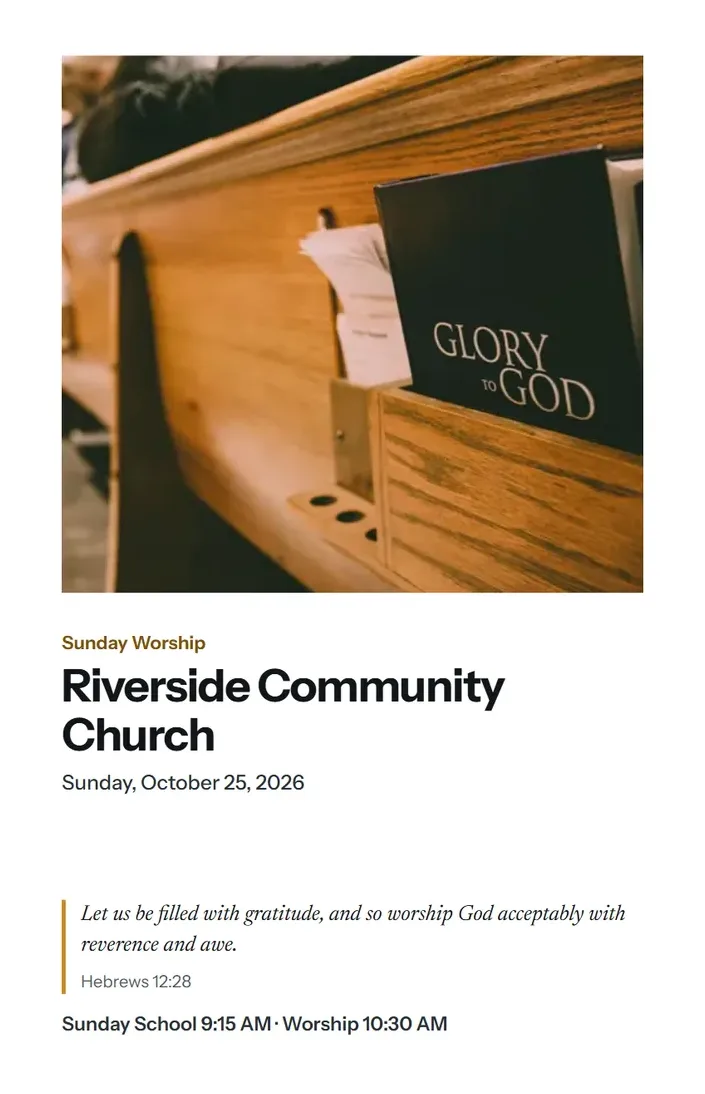
Free tool from Church Posting
Church bulletin maker
Add your church's service time and visitor information to a printable bulletin.
Make a bulletinServe a specific neighborhood need
Ask a nearby school or community group what help it needs and what volunteers must do before serving. Agree on a task, date, contact person and volunteer limit. Explain the task clearly to your congregation. Ask permission before publishing names or photos of people receiving help.
Plan the visitor-page work over a month
In week one, test the visitor page and choose a problem to fix. Gather the photos during week two. Publish the page in week three and ask newcomers to test it. During week four, ask guests how they heard about the church and whether they found the entrance. Record answers without collecting information they have not agreed to share.
Review completed tasks and guest feedback with the volunteers who did the work. If guests missed the parking entrance, change the directions and photograph it from the street. If they could not find children’s check-in, update the visitor page and signs before the next Sunday.
More on outreach
All outreach articlesChurch bylaws guide and adoption checklist
Draft church bylaws from your church's governing documents, define who decides, and follow the adoption checklist with your church's attorney.
Church membership covenant example
A church membership covenant example with promises of worship, prayer, care and service, plus adoption guidance, a printable PDF and slides.
Church security plan and Sunday safety checklist
Build a church security plan with local responders, assign Sunday responsibilities, and print a checklist for evacuation and child reunification.
The weekly email
New free tools, guides and jobs, in one email on Mondays.